The problem
Clio has two core products: Clio Grow for intake, and Clio Manage for client and case management after intake. Grow originated as a separate product, and despite the Suite positioning, the two applications still maintained separate contact databases.
That gap had become one of the most visible weaknesses in the suite. Contact unification was Grow’s top requested feature with 214 votes, and 30% of NPS detractors mentioned dissatisfaction with the Grow / Manage integration. The estimated MRR impact was more than $40,000 USD per month.
The goal was to make contacts automatically stay in sync across Grow and Manage — an important first step toward making the two products feel like one suite.
Mapping the current state
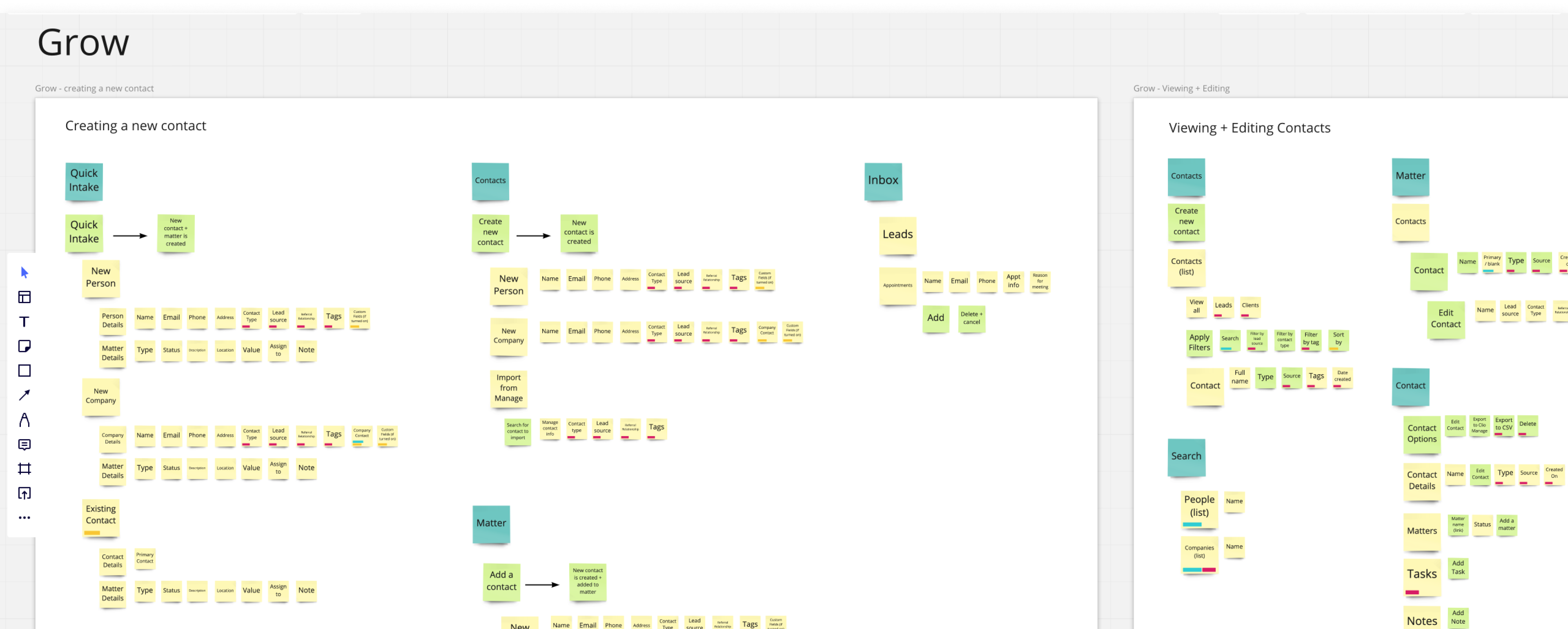
I started by mapping every contact-related field and interface across both products. Even before talking to customers, the exercise made the complexity visible: the same person could appear in different places, use different terminology, and expose different fields depending on whether someone was working in Grow or Manage.
User interviews
I interviewed customers to understand how contacts actually moved through a law firm and what “unified” needed to mean beyond simply copying data between databases.
How do firms add, update, and move contacts through Grow and Manage?
Where does maintaining contact data create extra work or errors?
How do firms distinguish prospects, contacts, clients, and other relationships?
When do users work in Grow versus Manage, and where do those workflows overlap?
How do firms organize their contacts today?
What would a seamless contact experience look like to them?
The core problems
Research confirmed that customers could not rely on Clio as a single source of truth for contact and matter data. Two issues were driving most of the pain.
Synchronization was not bi-directional. Updates made in one product were not reflected in the other until someone manually exported or imported the contact.
Users often created a contact without realizing it already existed in the other product, producing duplicate records with conflicting or outdated information.
Mapping real workflows
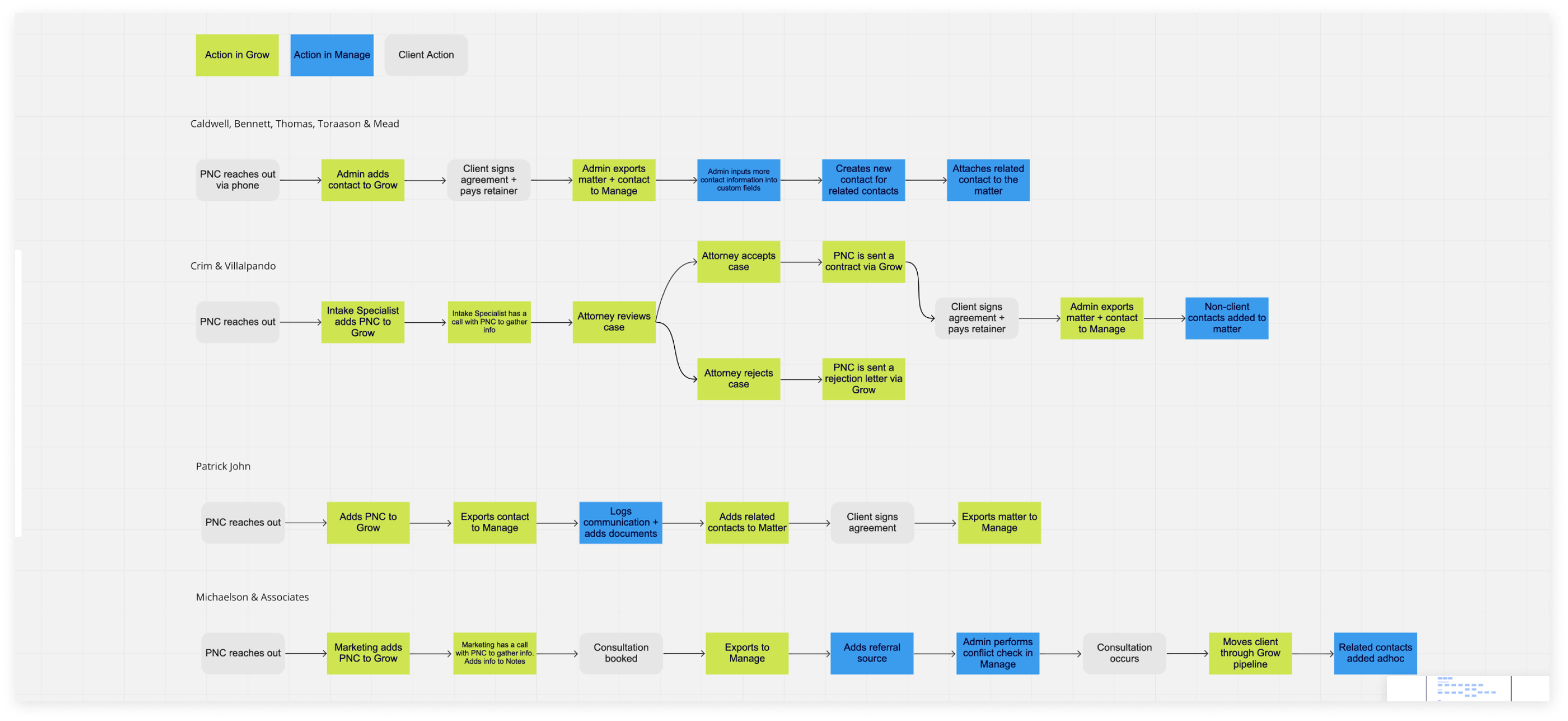
I mapped the workflow of each firm we interviewed. The diagrams made it obvious how much administrative work existed purely because Grow and Manage were separate.
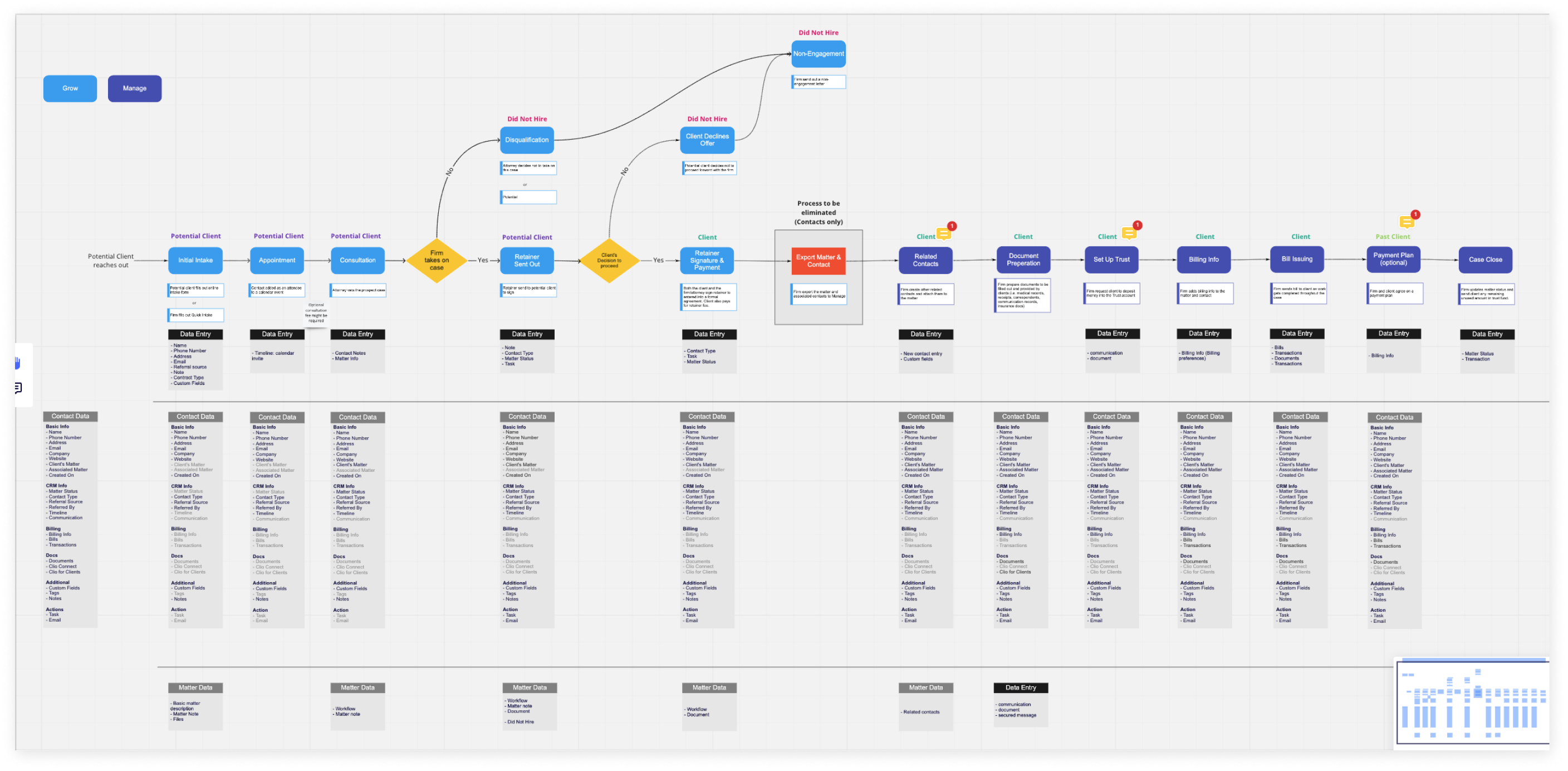
We then created an ideal workflow to show what could disappear if contact data became unified. This became a useful artifact for aligning product, design, and engineering on the target state.
Comparing the existing interfaces
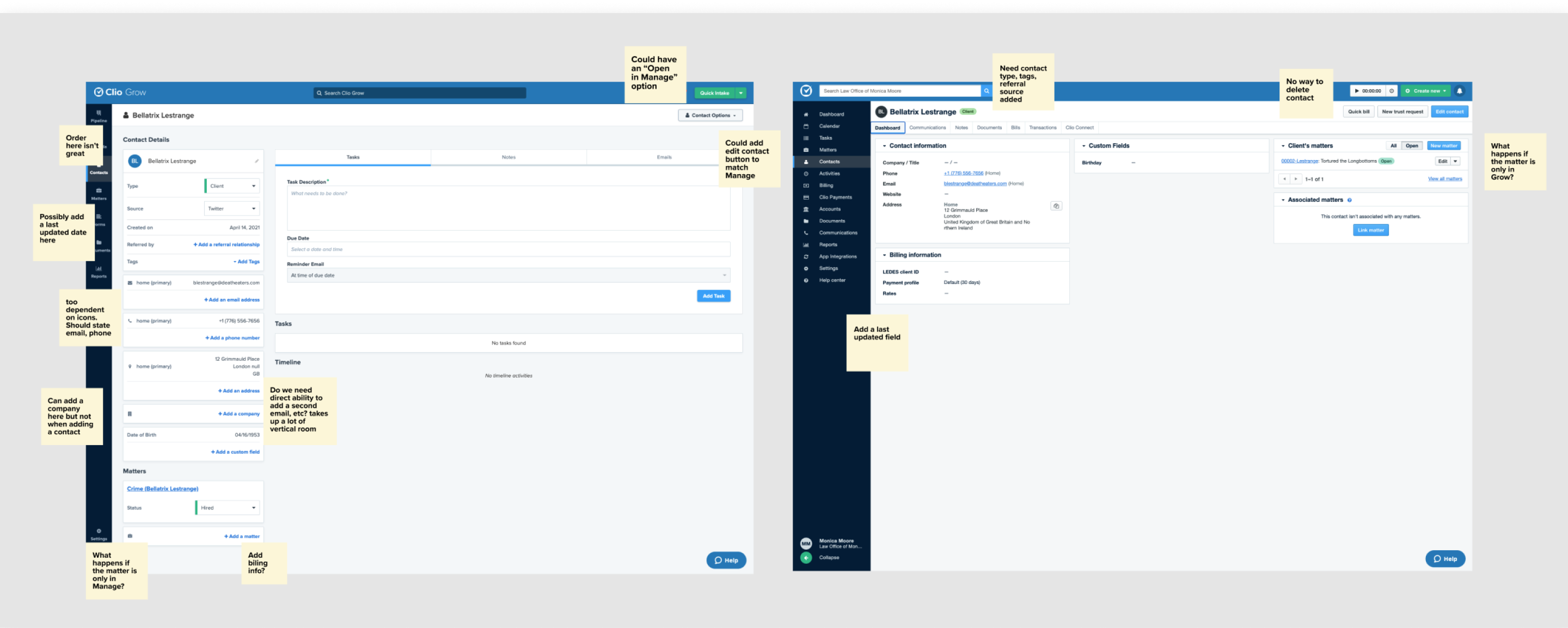
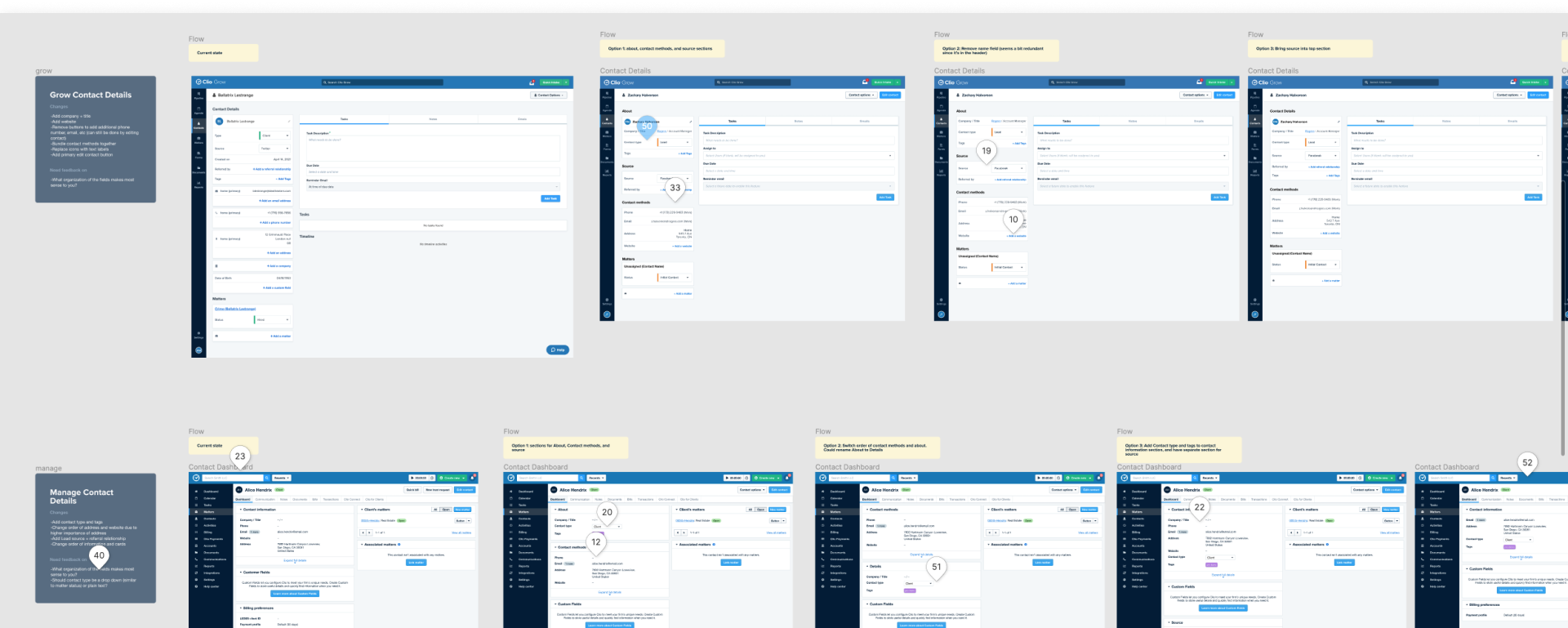
Unifying the underlying data alone would not make the suite feel unified. I audited the contact experiences in both products and documented inconsistencies in information hierarchy, terminology, editing patterns, and available actions.
Exploring the contact page
I explored a wide range of low-fidelity layouts for the unified contact page. The goal was not to force both products into the exact same interface, but to find a shared information model that could still respect the interaction patterns of each product.
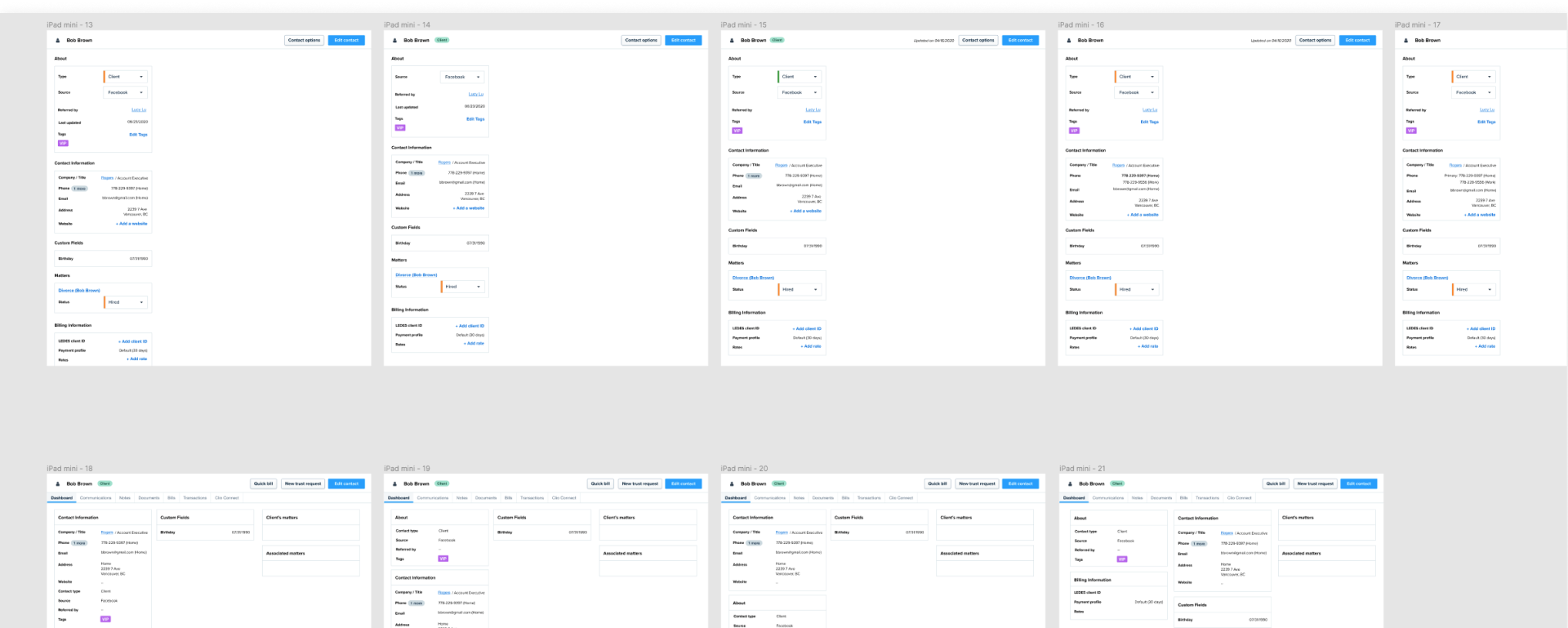
I then moved the strongest directions into higher fidelity and opened them up to asynchronous critique from the design team.
Aligning contact creation
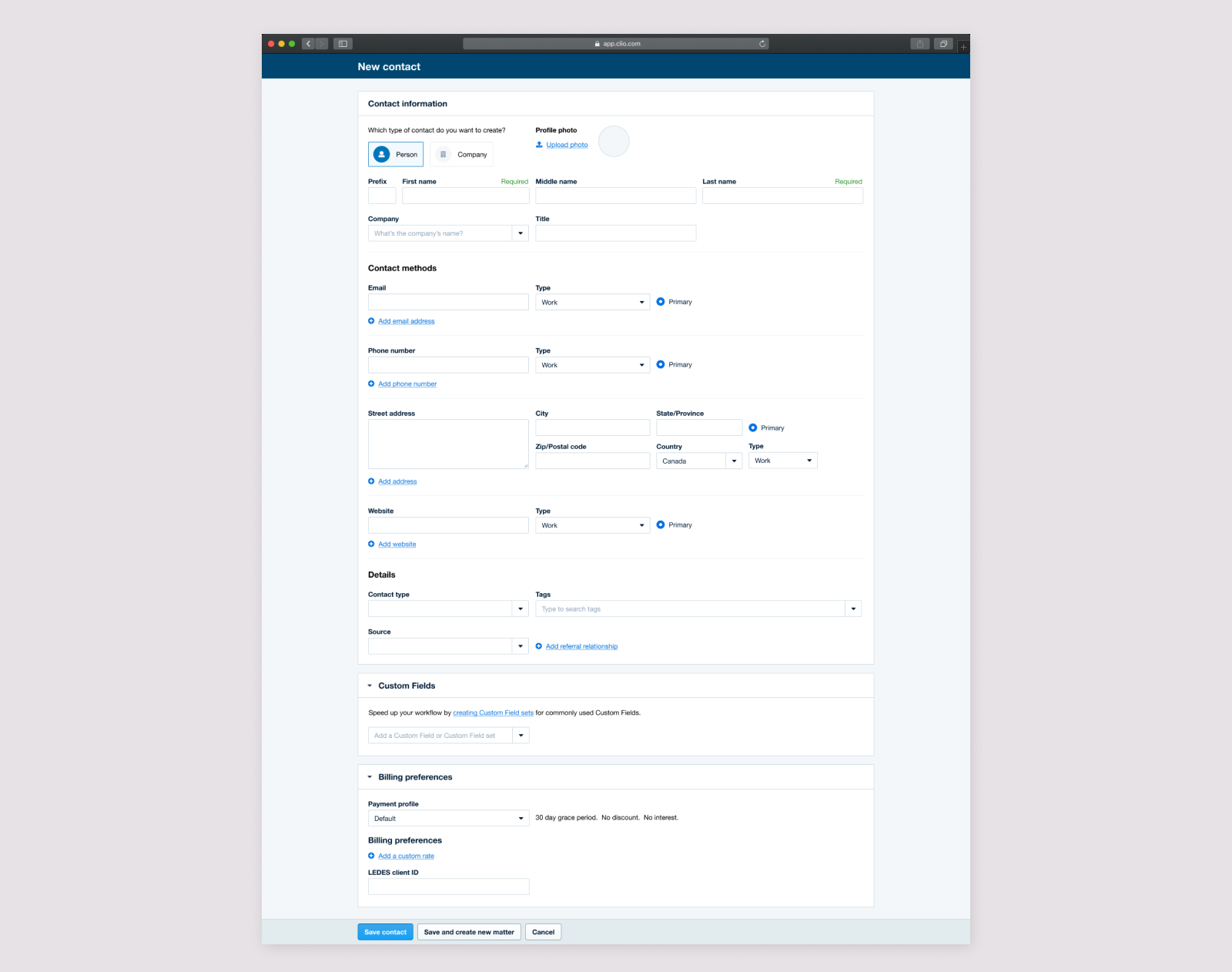
In Manage, I streamlined the contact-creation form and added fields that previously existed only in Grow.
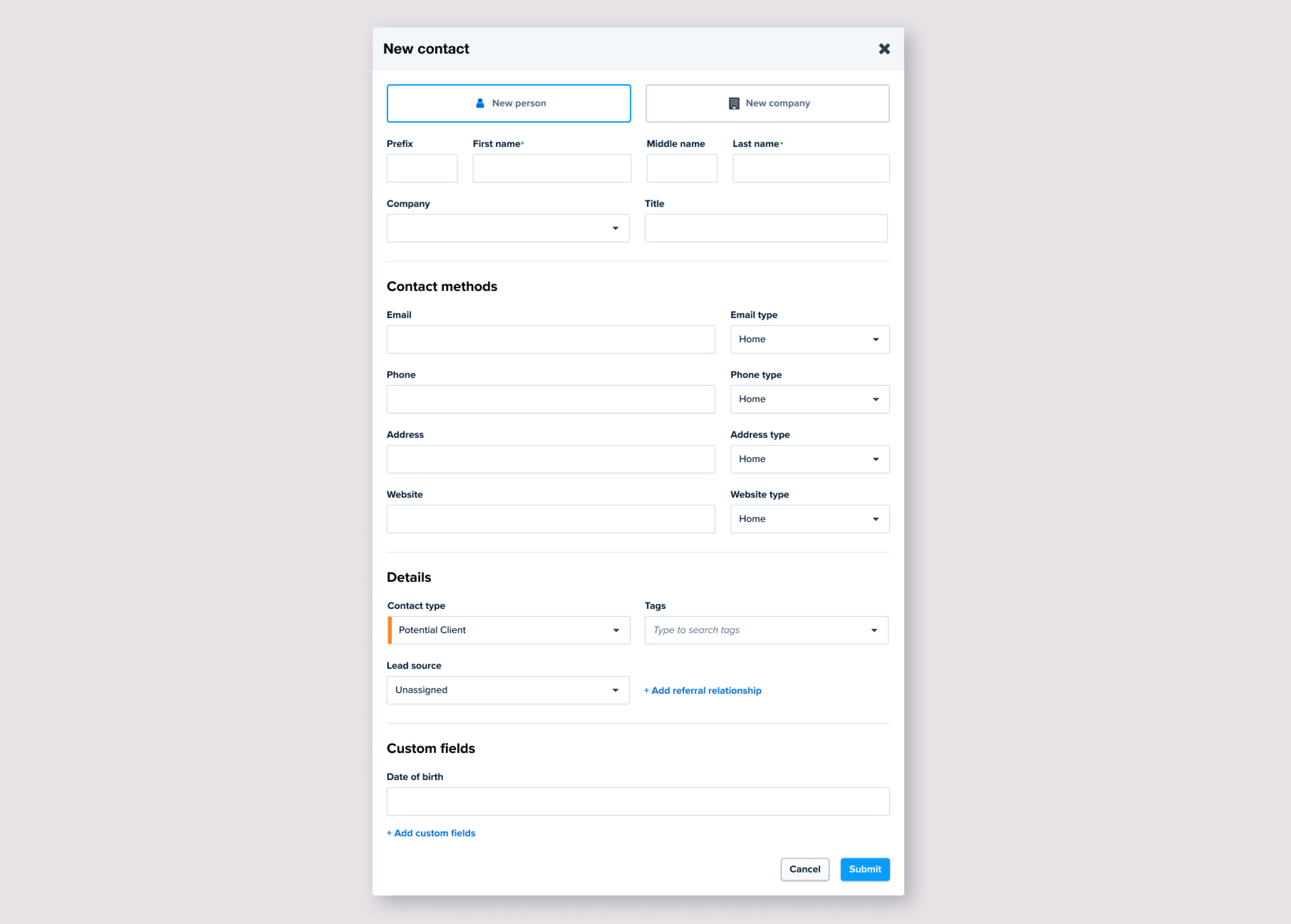
In Grow, I reordered and reformatted the creation flow to follow the same underlying structure as Manage. I also removed the “import from Manage” workflow because unified data would make that manual step unnecessary.
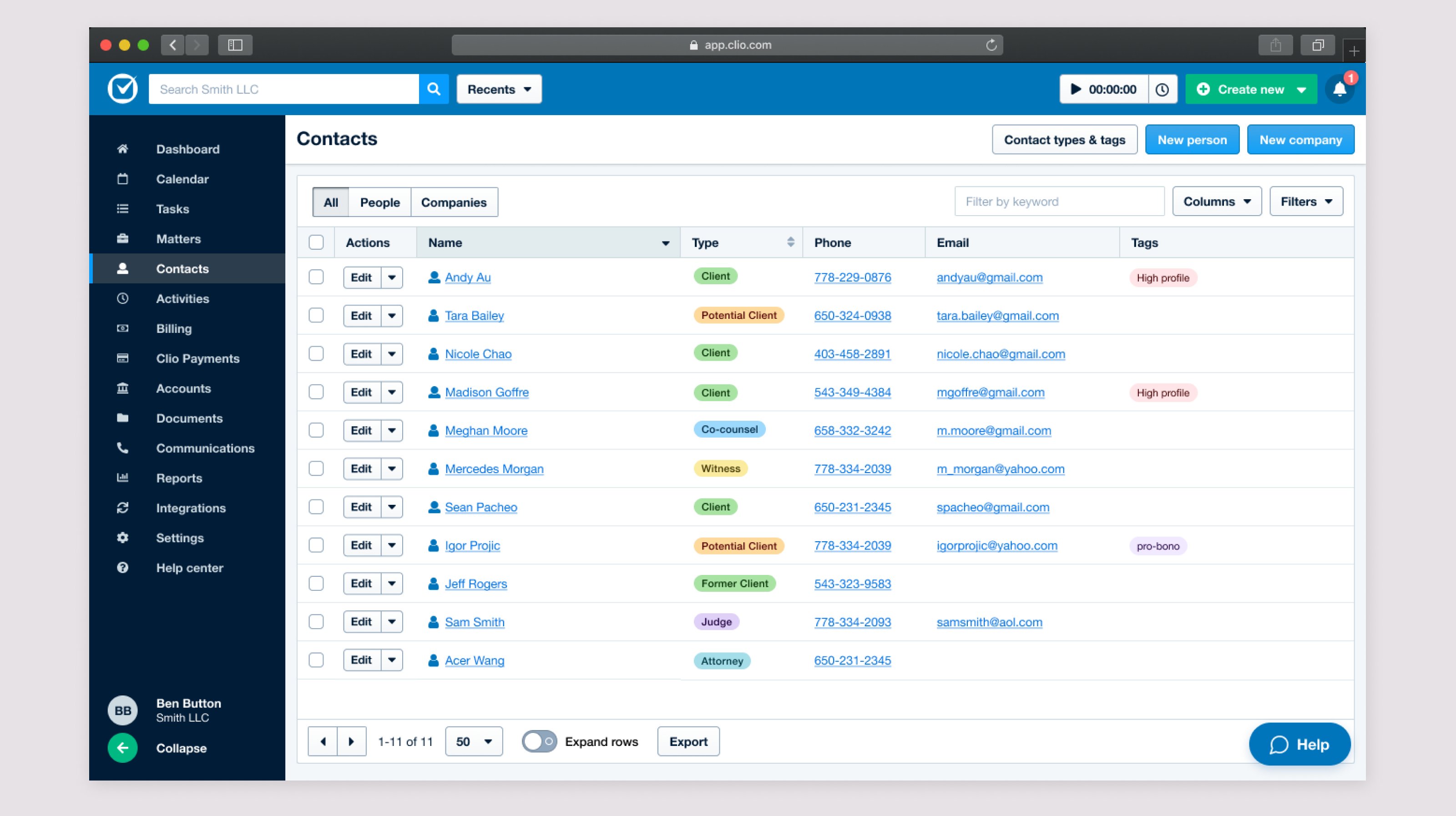
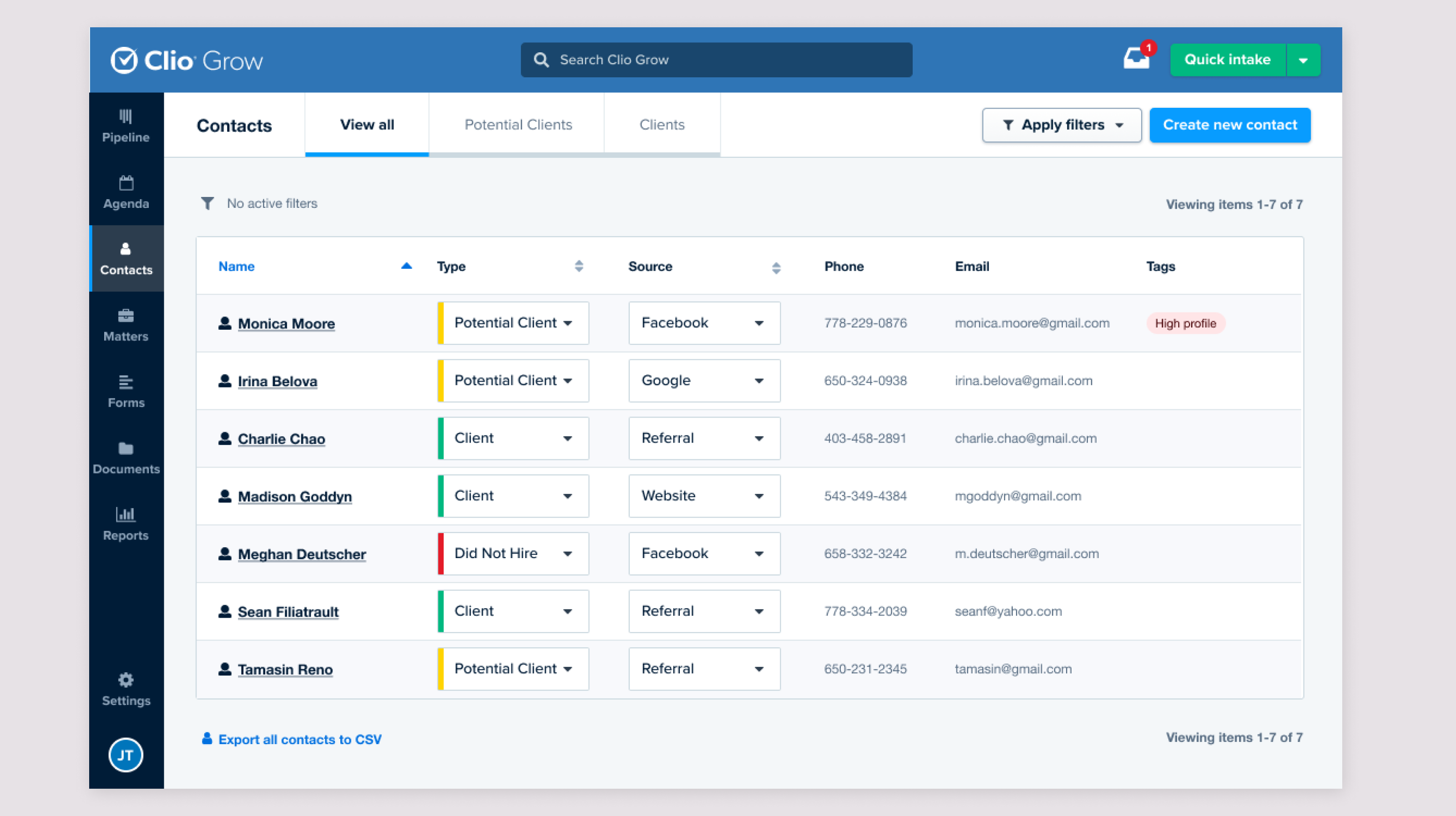
Aligning contact lists
I updated the lists to expose consistent information in a consistent order while retaining the established visual language of each product.
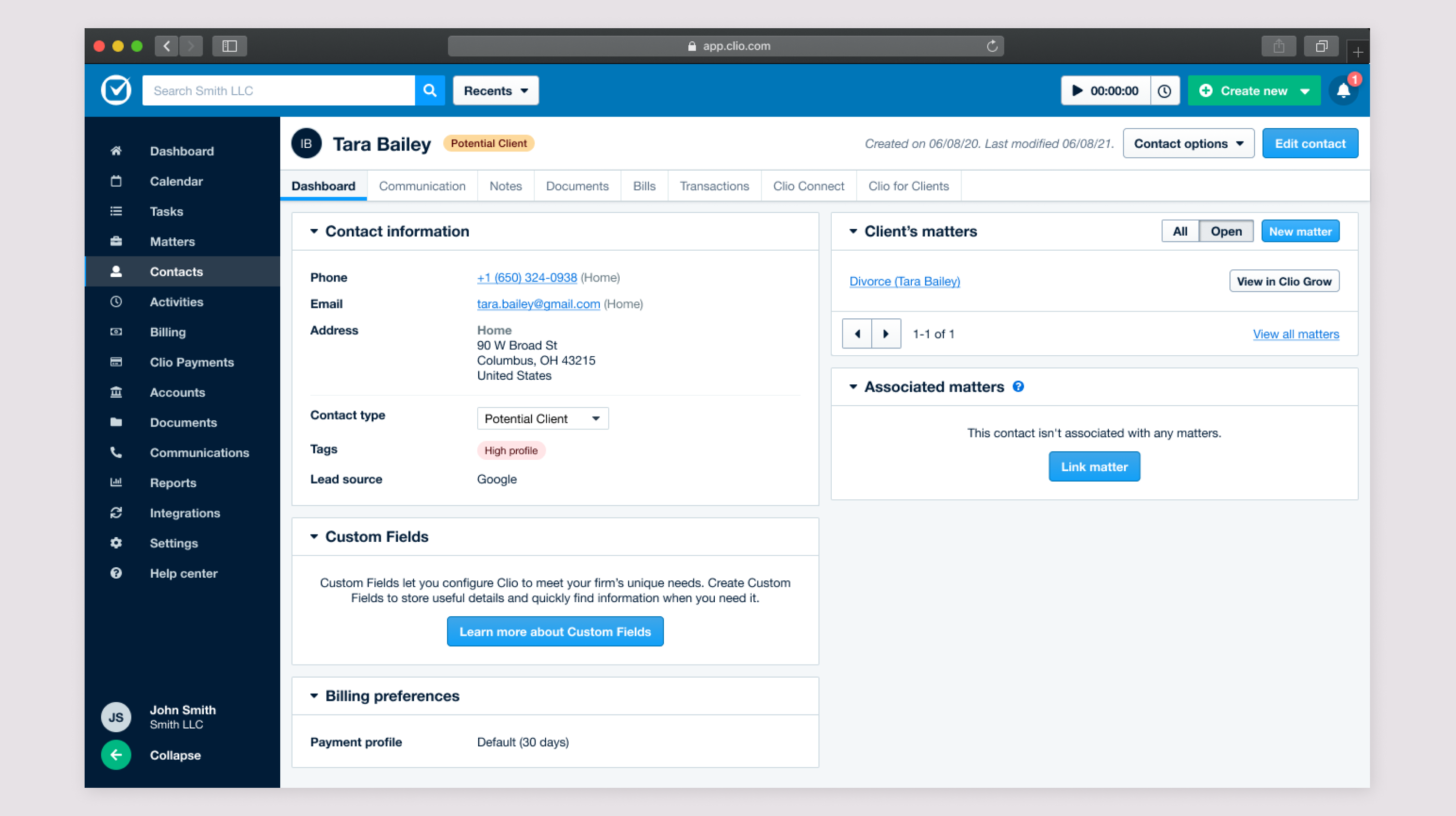
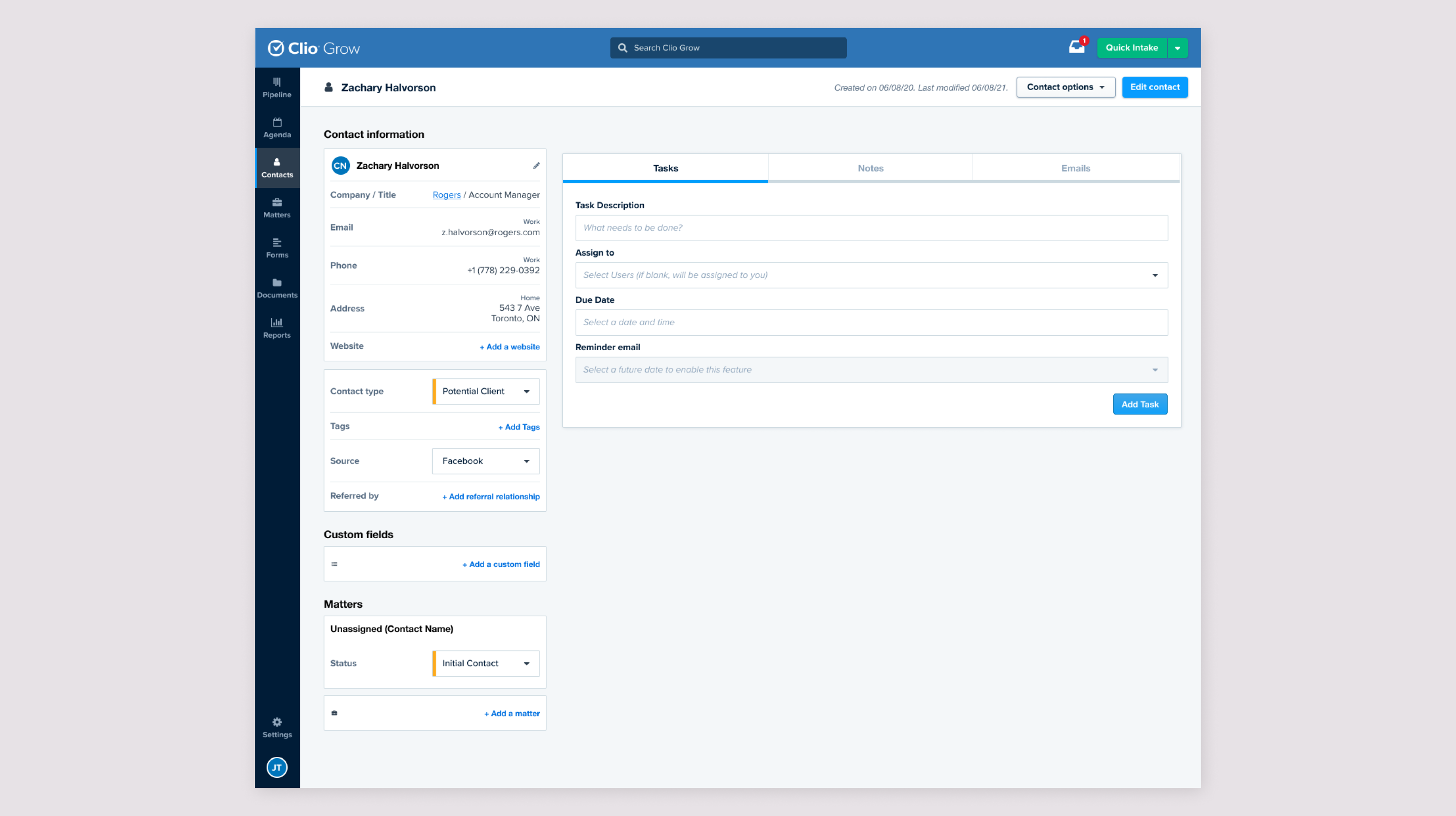
Aligning contact pages
The detailed contact pages also needed consistent contact information, while acknowledging that users perform different tasks in Grow and Manage.
Usability testing
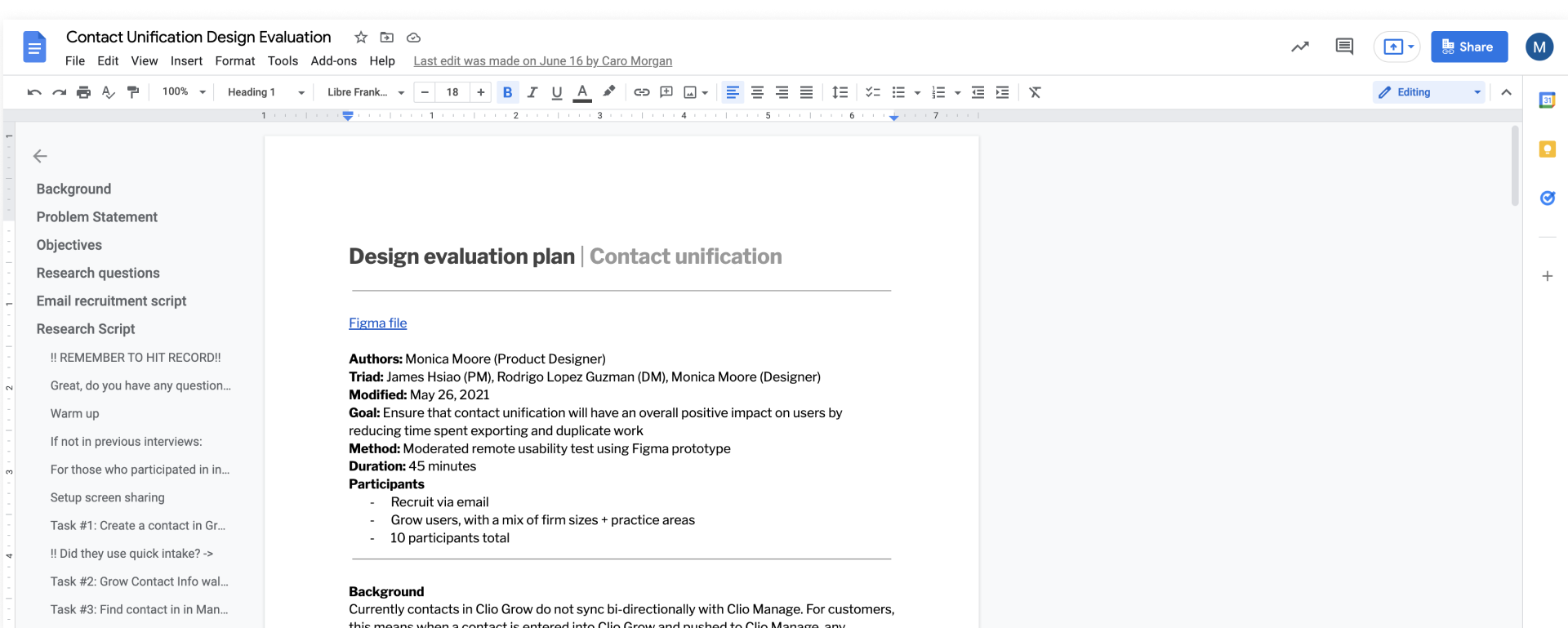
I tested the unified flows with customers and used affinity mapping to analyze the sessions. The testing validated the overall direction but also uncovered two important secondary problems: contact organization and clutter.
Most users felt a single contact system would make their work easier and more seamless.
Users worried Manage would fill up with prospective contacts they rarely needed there.
Users expected unification to expose or create large amounts of duplicate data.
Users liked richer categorization as long as it could be customized.
Users did not understand why “contact types” and “tags” were separate systems.
Easy filtering would let firms keep all contacts without showing every contact all the time.
Simplifying contact categorization
Because customers were confused by the difference between contact types and tags, I explored replacing both with a single system called Labels. Labels could combine presets, automatic categorization, and firm-specific custom labels.
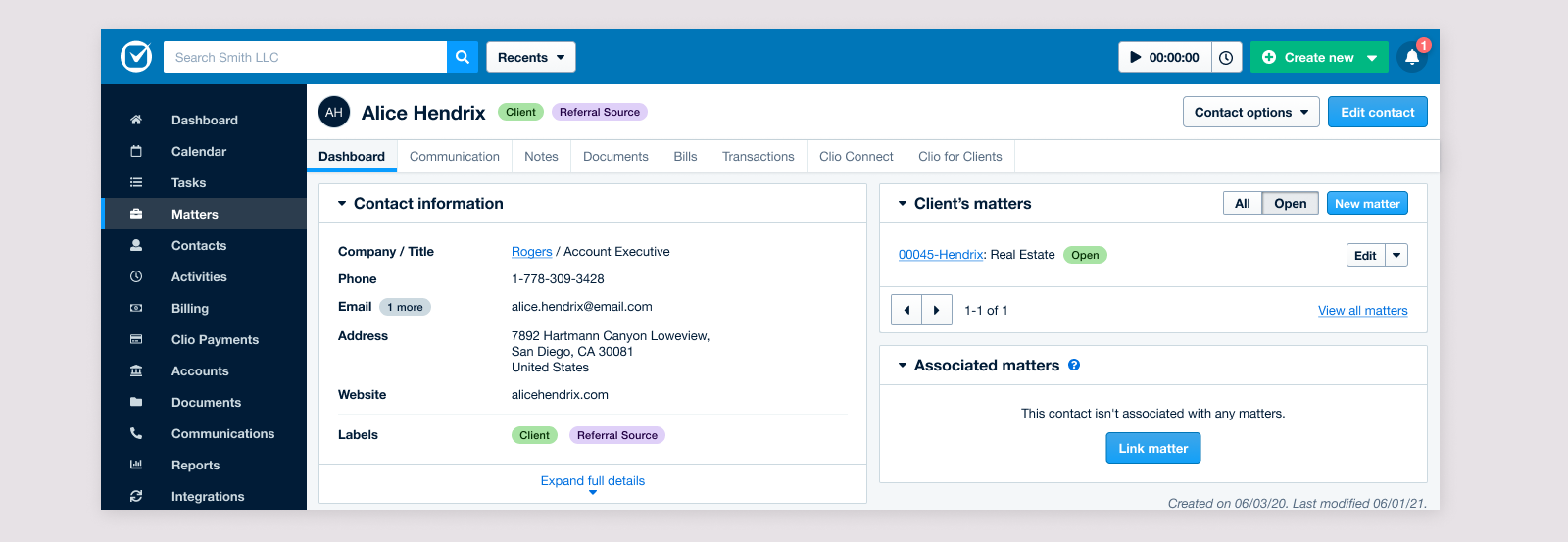
I also explored ways to keep “Did Not Hire” prospects available without letting them dominate Manage search results and contact lists. The emerging direction was to solve that through stronger filtering rather than hiding or deleting the underlying records.
Prioritizing the work
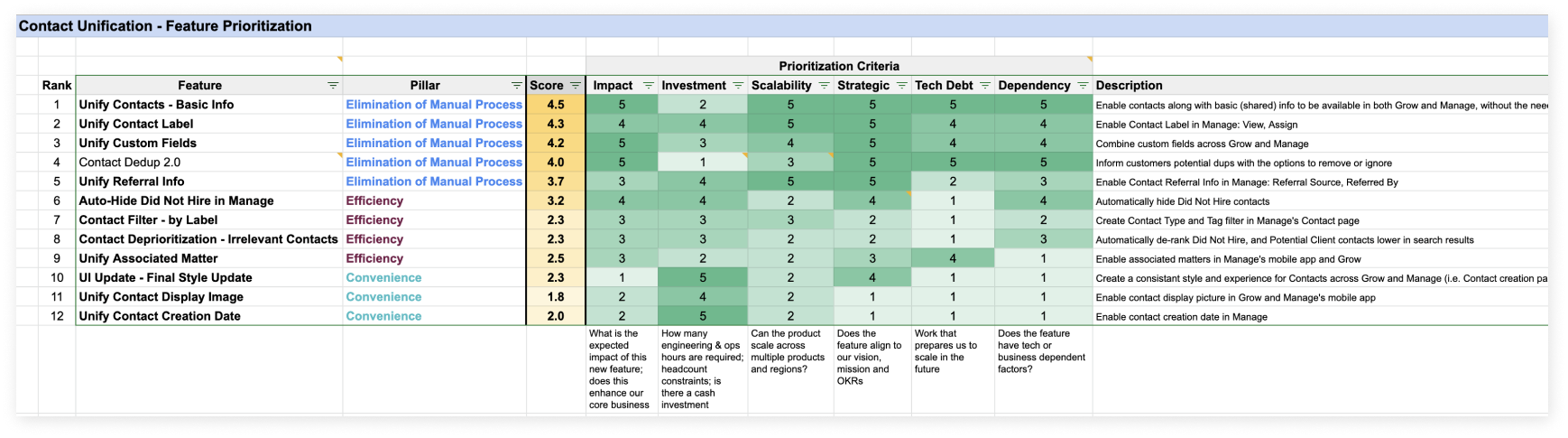
The project had become much larger than a simple sync feature. I worked with the PM and Engineering Manager to rank the work by customer impact, investment, scalability, strategic value, technical debt, and dependencies.
Breaking the rollout into phases
We split the work into three product phases while running a parallel deduplication effort. That allowed us to solve the most damaging manual-sync problem first without waiting for every UX improvement to be complete.
- Name, Title, Email, Address, Phone Number, Company, Website
- Custom Fields
- Contact Labels (Type/Tag)
- Referral Info
- Filter
- Auto-hide Do Not Hires
- Contact deprioritization
Contact deduplication became a prerequisite
Unification would inevitably surface existing duplicates, and during the project we also discovered a bug that had already created large numbers of duplicate contacts for some customers.
My first exploration was a more complete review experience where users could inspect groups of duplicates and decide what to remove or merge.
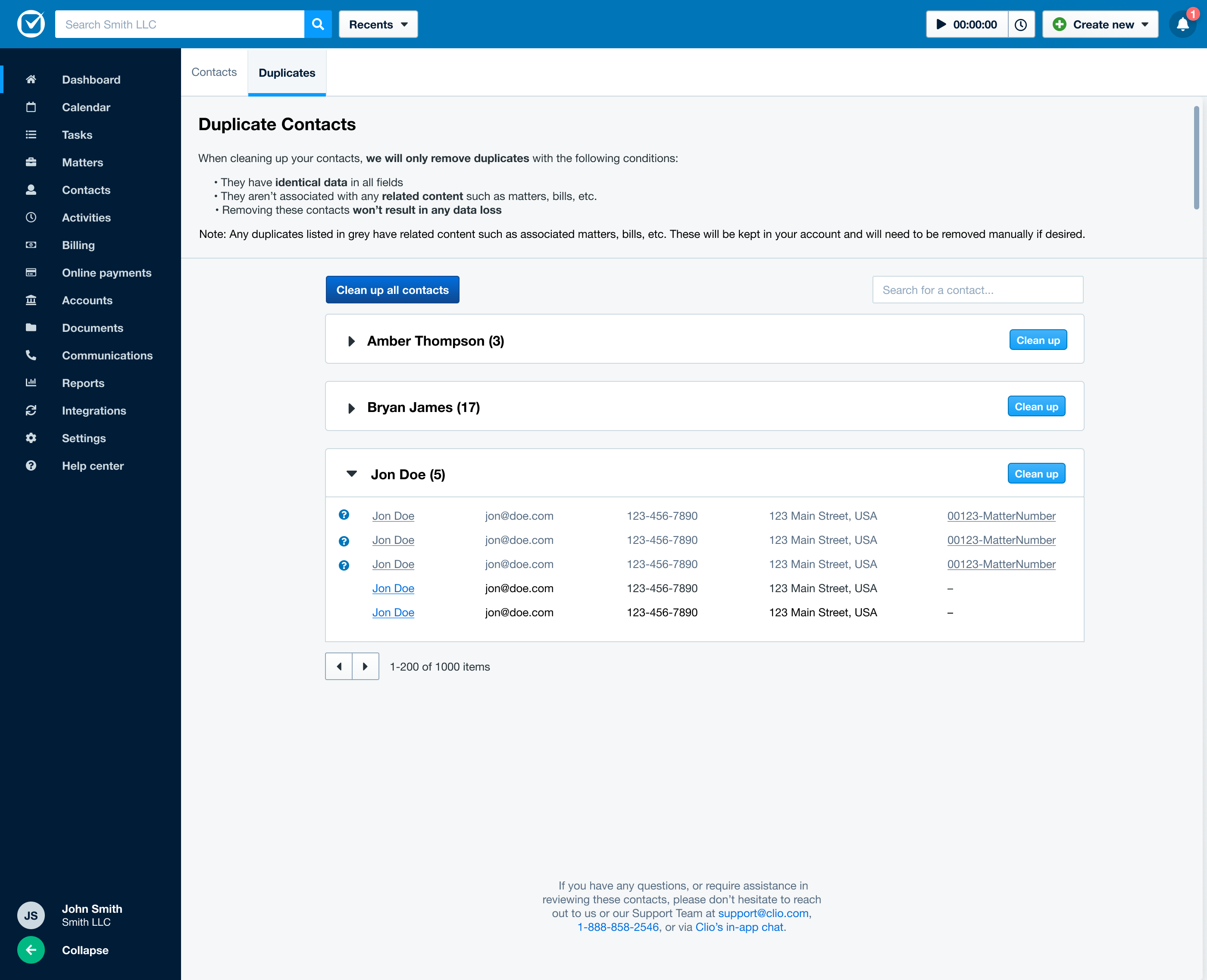
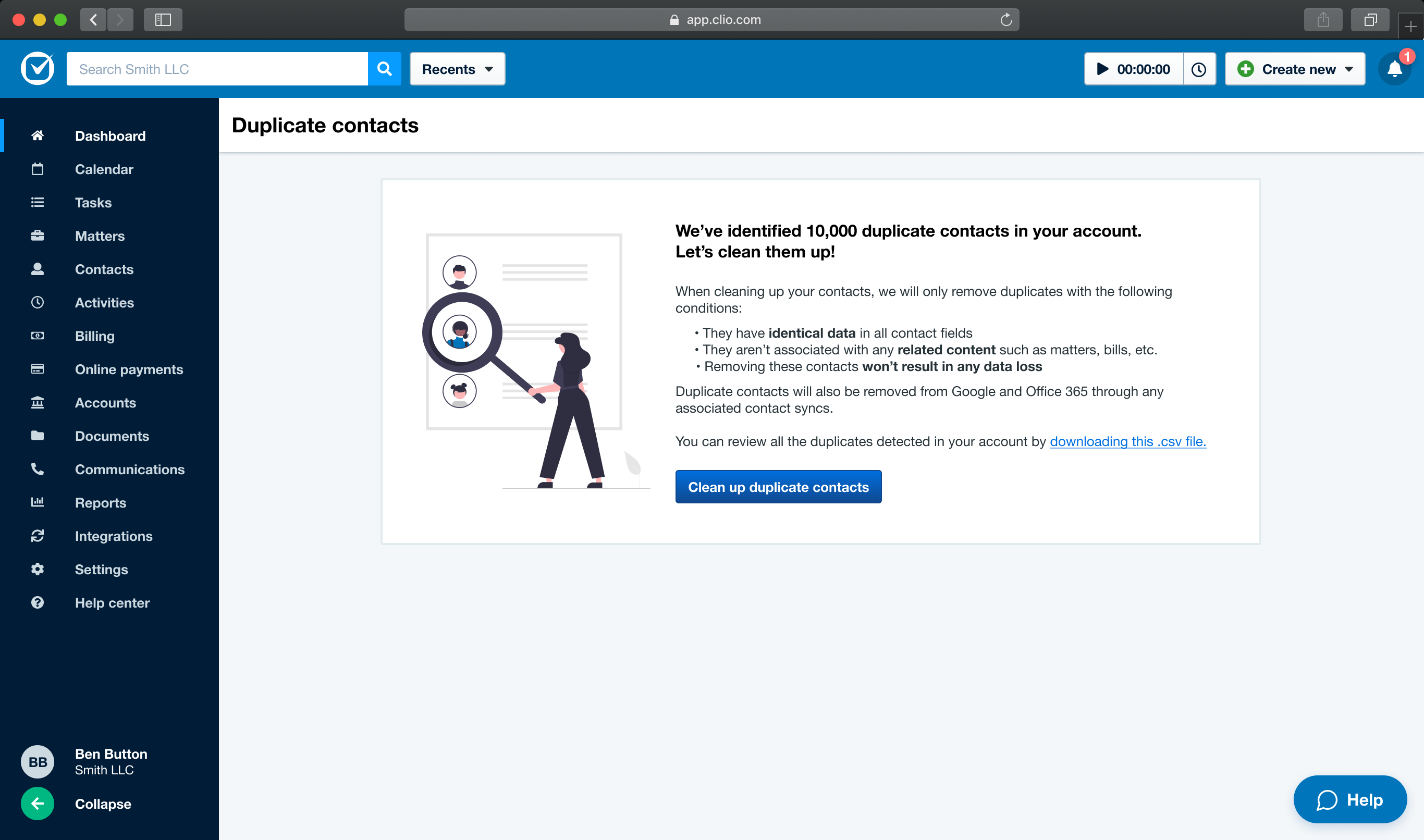
Building that full tool would take significant time, so for the MVP we chose an automated process that removed only exact duplicates with no related content. That solved the majority of duplicates created by the bug without putting customer data at risk.
The deduplication MVP
1. Notify the customer
Customers receive an email explaining that duplicate contacts were found and what conditions the cleanup process will use.

2. Let them review the scope
The in-product page explains the process and offers a CSV download if the customer wants to inspect the duplicate set before starting cleanup.
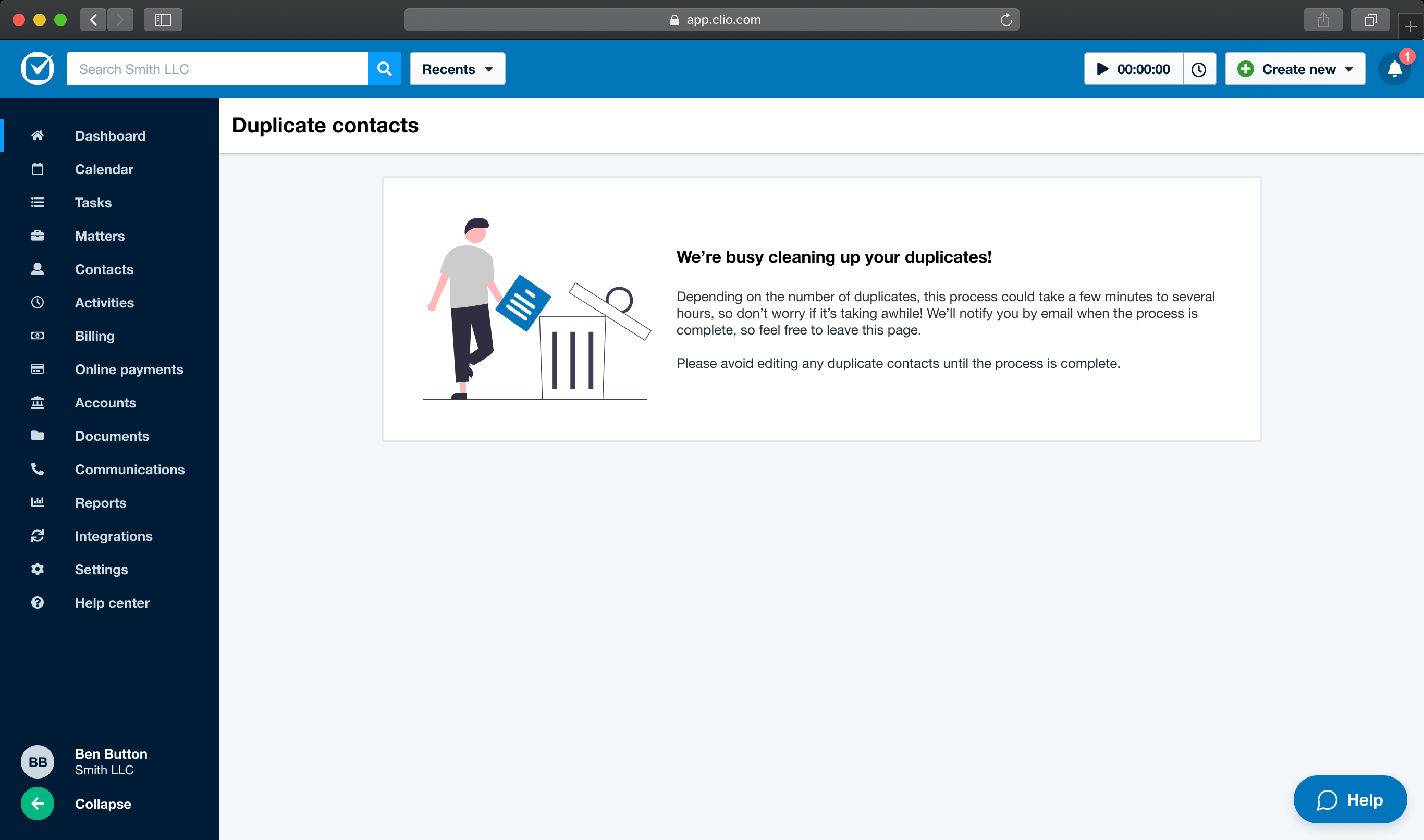
3. Run asynchronously
Removing a large number of duplicates can take time, so the experience tells users the process is running and explicitly lets them leave rather than forcing them to wait.
4. Confirm completion
When cleanup finishes, the customer receives a completion email with the number of duplicate contacts removed and guidance for any remaining non-identical duplicates.